BMAX MaxMini B12 Power: 30-second review
The BMAX B12 is an interesting release in the current market: rather than opting for one of the latest AI-enhanced CPU, GPU, and NPU combinations, BMAX has chosen what was three years ago, a flagship laptop CPU. Whilst it does feature an NPU, this is from the early stages of the technology, so its performance on that front is limited. However, for raw processing power alongside its integrated GPU, this mini PC is surprisingly powerful for its price tag for most productivity, creative, and even gaming applications.
We can easily forget just how powerful those older CPUs were, especially as so many of the latest releases focus on AI potential, both integrated into applications and for running LLMs. However, most of us still need to use Microsoft Office or equivalent, creative apps, browse the internet, and do some light gaming. For that kind of use, do we really need the latest CPU if we just want a decent machine?
Opening the box and lifting the small mini PC out, it’s nicely designed with a slightly dark blue finish, although the plastic casing feels a bit cheap. A quick check over the port layout shows that it’s well thought through, with two USB Type-A ports joined by USB-C, this USB-C port on the front is something that many of the leading mini PCs still fail to offer today. Of course, there’s a 3.5mm audio jack on the front as well. The back is a little sparser, with just two USB Type-A ports, an HDMI port, a LAN port, and a DP port alongside the power socket.
So essentially, a lot of savings have been made on the build and port selection, and there’s also the fact that the RAM, which is only 24GB, is soldered on, so there are no real options for expansion, although the SSD can be upgraded and there’s room for a 2.5-inch SATA drive.
During testing, the performance impressed, able to perform well for general administration and mid-weight creative tasks and applications, including 4K video editing.
Initially, I doubted whether the gaming performance would match what I’ve seen from the latest mini PCs. Still, surprisingly, even Cyberpunk 2077 was playable, although the resolution and effects were obviously dialled right down.
Whilst this machine is good and powerful, you can’t help but feel its time is limited, especially as more applications make greater use of AI. The good point here, however, is that it does have an NPU, albeit nowhere near as powerful as the latest equivalent, but the pricing does make this affordable considering the power and options that you get.
It may not be the best mini PC if your focus is on workstation-grade performance. But if you want a really good, solid office mini PC that's truly mini for day-to-day administration and light video and multimedia editing, then this is a superb option at a relatively reasonable price and proves you don’t need the latest CPUs to get a decent and capable machine.
BMAX MaxMini B12 Power: Price and availability
- How much does it cost? From £569.99
- When is it out? Available now
- Where can you get it? Directly from BMAX
Direct from the manufacturer, the BMAX B12 Power mini PC with Intel Core Ultra 9 185H can be purchased for $999.99 / £754.99, including shipping and tax, directly from the BMAX website. There are no other variations of the machine besides the one I’ve reviewed here.
A few years ago, a mini PC with this CPU would’ve cost a lot more. However, it's now heavily discounted, which, given that the CPU inside is almost three years old, makes it exceptionally good value for money.
That older technology, slightly lighter build and restrictive port selection mean that whilst it isn’t in line with the latest mini PCs, at this price it’s still a powerful machine and therefore well priced.
- Value: 4.5 / 5
BMAX MaxMini B12 Power: Specs
CPU: Intel Core Ultra 9 185H, Meteor Lake-H, 16 cores, 22 threads, up to 5.1GHz.
Graphics: Intel Arc Xe-LPG, eight Xe cores, up to 2.35GHz.
RAM: 24GB LPDDR5, soldered.
Storage: 1TB NVMe SSD, with support for additional SATA storage.
Front and Rear Ports: USB-A, USB-C, HDMI, DisplayPort, Ethernet, audio and power connections. Verify exact layout.
Connectivity: Wi-Fi 6, Bluetooth 5.2, 2.5GbE Ethernet.
Audio: 3.5mm headset connection.
Camera: No integrated camera.
Size: 126 × 112 × 52mm.
OS Installed: Windows 11 Pro.
Accessories: Confirm power adapter, cables, VESA mounting hardware and documentation.
BMAX MaxMini B12 Power: Design
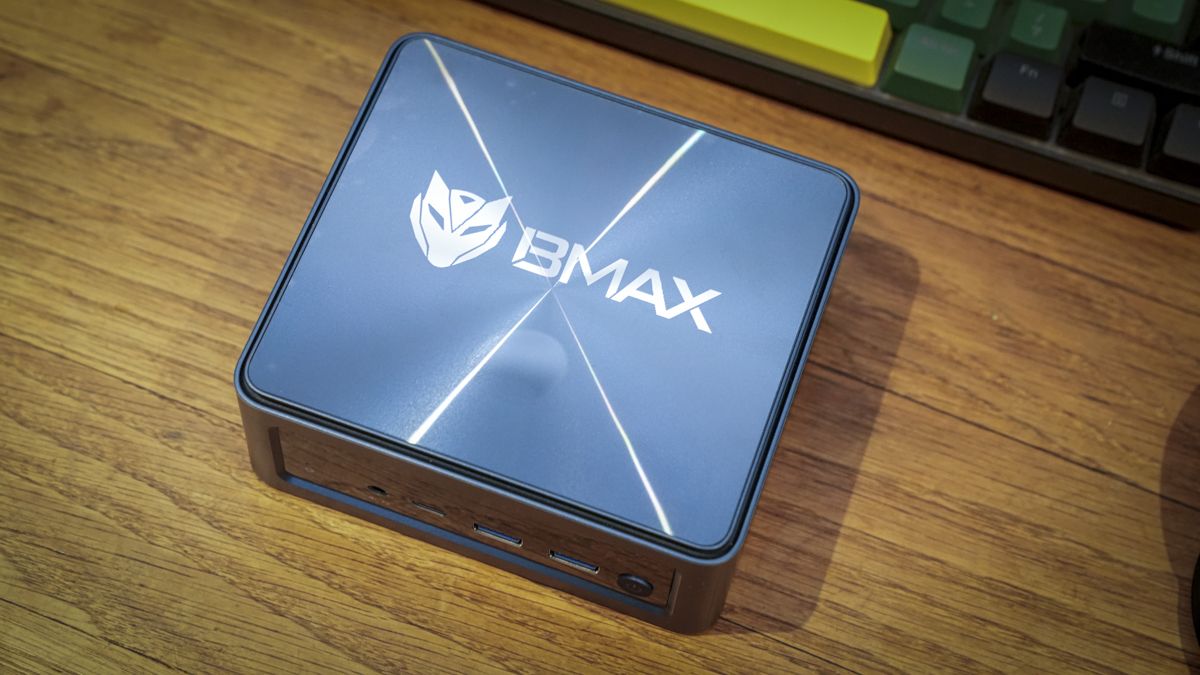
The BMAX B12 Power is one of the smaller mini PCs that I’ve looked at recently, and while it does feature an entirely plastic case, it is nicely designed. Finished with a distinctive blue chassis with a BMAX logo and motif printed across the top, it’s a stylish little machine. As you lift it from the packaging, the full plastic build is notable and relatively lightweight compared with many other mid- to higher-end mini PCs.
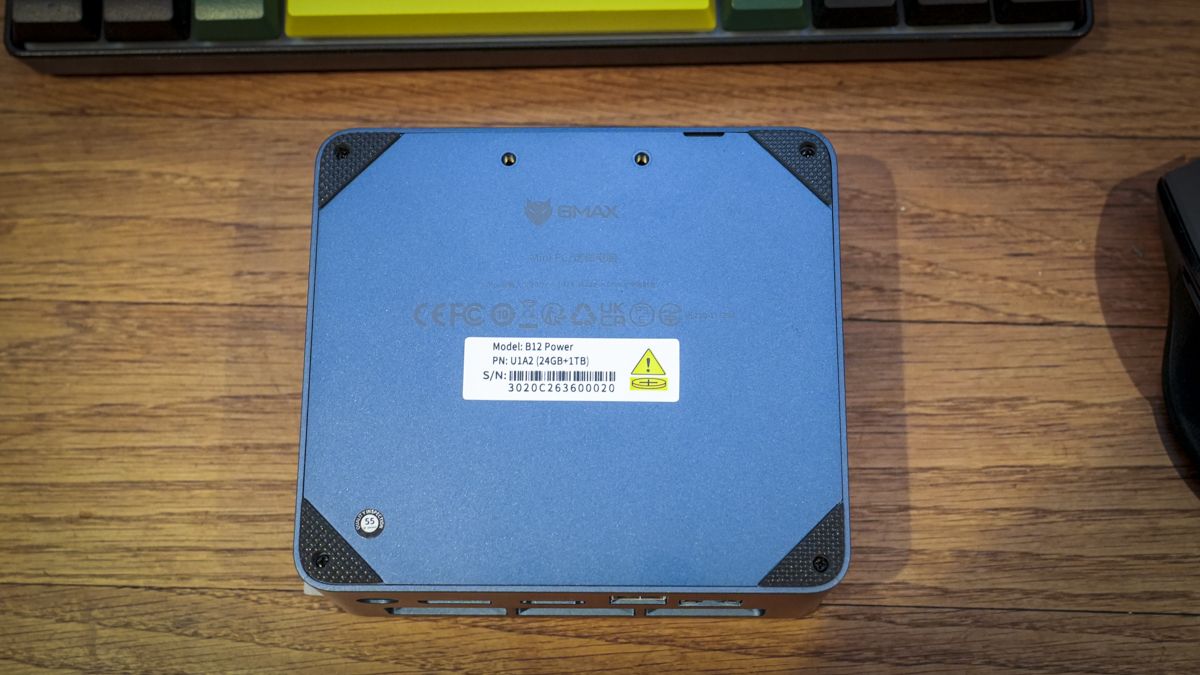
The dimensions are 126 × 112 × 52mm, and on top of that, you do have a small power brick. It weighs just 410g, making it one of the lightest mini PCs I’ve looked at in a long while. This makes it ultra-portable, and mounting it on the back of your monitor or positioning it away from the desk is exceptionally easy thanks to its size and weight.
The processing power, size, weight, and power draw also make it a great option if you’re looking for a portable mini PC for a van. OK, it might not be the latest AI CPU, but it’s still a very capable machine for what it is. Because the port selection isn’t great, it’s well-suited to a machine that is fixed in position and doesn’t often need additional connections.
For a machine this small, the port selection, while a little sparse, gives you all the basics, though heavier users may find it slightly limiting. However, there’s still a recessed Clear CMOS button on the front if you’re using it as a homelab which sits alongside the 3.5mm headphone jack, a USB Type-C port, two USB 3.2 ports and the power button.
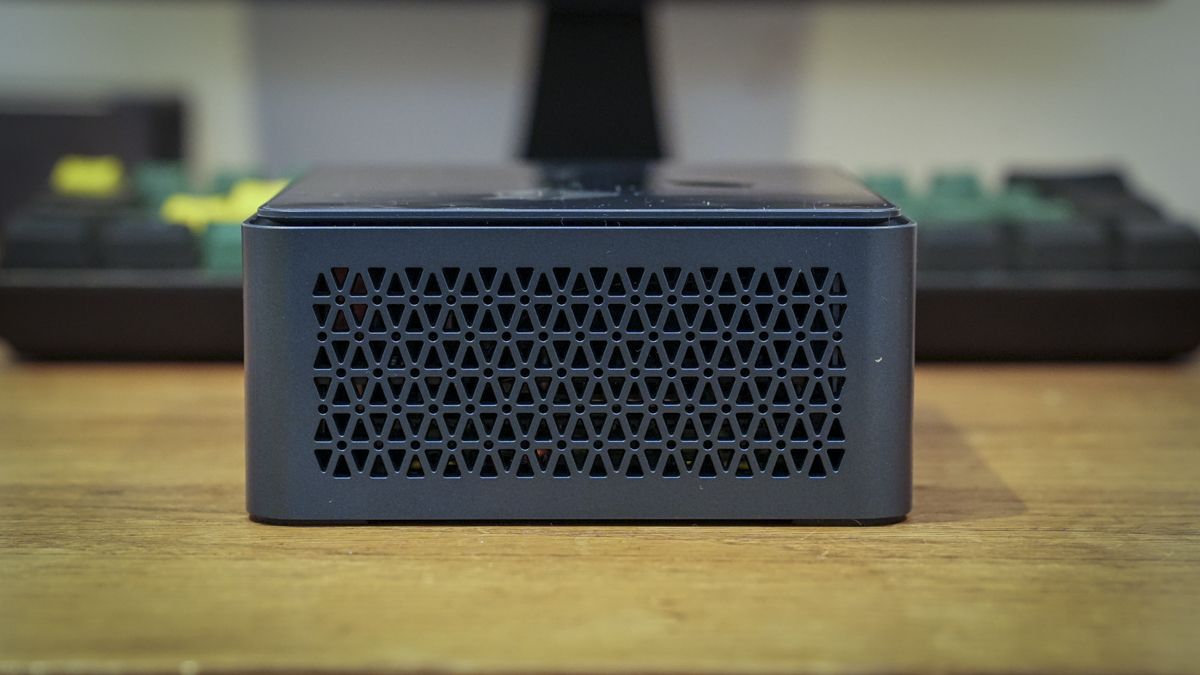
On the sides, there’s plenty of venting and a Kensington lock. If you do need to secure it to a desk or within a van. The back has more venting and a 2.5GbE LAN port, which is great to see, as some older and entry- to mid-range machines use only a 1GbE LAN port. Then we have two USB 2.0 ports, which are really only suitable for the keyboard and mouse, plus HDMI, DisplayPort, and the power input.
(Image credit: Alastair Jennings)Access inside the machine is through four small screw holes in the corners of the base; once removed, they let you gently pivot the top up, revealing the inside.
The base is connected by a ribbon cable to the motherboard in the main chassis, and this enables a standard 2.5-inch SATA drive to be installed. BMAX doesn’t state the official maximum capacities for either the NVMe SSD or SATA drive. However, the ability to replace the SSD and add SATA storage provides useful expansion potential.
What also struck me about the design of the chassis is that there is a good amount of ventilation throughout, and during the test, the fans, while whirring up when the machine was under load during the benchmarks, remained quiet for the most part.
- Design: 4 / 5
BMAX MaxMini B12 Power: Features
At the heart of this machine is the Intel Core Ultra 9 185H, which features six performance-cores, eight efficient-cores and two low power efficient-cores. Hyper-Threading provides 22 threads and a maximum turbo frequency of 5.1GHz.
This CPU comes from Intel's Meteor Lake family, and when compared with the newer Panther Lake Core Ultra 9 386H, released in January 2026, there are some interesting differences. Machines featuring the newer processor can cost considerably more, depending on their configuration.
However, despite its age, the BMAX's processor actually features six Performance cores compared with the Panther Lake chip's four, alongside 22 threads rather than 16. Of course, the newer Panther Lake architecture is more efficient, so those additional cores and threads don't necessarily translate into better performance.
The major differences between the new and the old are increased NPU power and efficiency. The newer chips are far less power-hungry, making them better suited overall for these compact machines. Looking at the power consumption highlights the small machine’s potential, with a base processor power of 45W and a maximum turbo power of 115W.
What’s important is that this CPU features an integrated GPU, Intel Arc integrated graphics, with eight Xe-LPG graphics cores. This enables hardware ray tracing which is good for gaming and Quick Sync and modern video codec support, which help with file format compatibility with the latest cameras and applications.
The gaming performance section of the test highlighted this. However, this integrated GPU does share system memory rather than having dedicated VRAM, which, again, with only 24GB of RAM, can be an issue for some applications.
The processor is complemented by 24GB LPDDR5 4400MHz–5600MHz RAM and a PCIe 3.0 1TB NVMe M.2 SSD, with it being possible to upgrade the latter to a larger capacity. Then, as a bit of a surprise, there’s also a 2.5-inch SATA connection, letting you boost internal storage: use the SSD for fast access and SATA for slower archival storage.
Wireless connectivity is handled through Wi-Fi 6, which is a little older than most, and Bluetooth 5.2, again older technology but solid.
Cooling is a major part of all of these mini PCs, and the Space Capsule cooling system combines copper piping and a large fan with plenty of venting around the body.
The machine comes pre-installed with Windows 11 Pro, although you can install Linux Ubuntu or another OS if you wish.
As I scrolled through the features, one surprise was that the company listed this machine as waterproof, rustproof, and scratch-resistant. Looking at the build, I’m pretty sure this is a mistake, as the ports are all open, and at this price, if I submerge this machine in water, I’m sure it will be the last thing it does. Despite the image with water pooling on the top surface of the machine, there is no IP rating, so this appears to be an oddity of the marketing material.
For creatives, it’s great to see that two monitors can easily connect via the HDMI 2.1 and DP sockets at the back, enabling video at up to 4K/60Hz. If you want to add a third monitor, you can connect it through the front USB-C port.
The integrated NPU is less powerful than those found in the latest chipsets, but the combination of CPU and GPU still provides some potential for running local AI models. Larger models may be possible with appropriate quantisation, although the fixed 24GB of RAM will be a significant limitation.
The NPU is well-suited to many applications that support it. It also supports Intel’s OpenVINO ecosystem. This NPU is really at the start of mainstream AI integration, so while advanced at the time, it lags behind the latest options.
Looking at the features, this is a solid mini PC for general office use. The CPU, GPU, and NPU combination will provide the power, and a decent 2.5GbE LAN port supports its use better than many other entry-level mini PCs. Some newer features I’ve come to expect, such as USB4 and more advanced NPUs, aren’t obviously available, but for core traditional workflows, this machine should more than suffice.
- Features: 4 / 5
BMAX MaxMini B12 Power: Performance