GEEKOM IT13: 30-second review
My initial impressions of the Geekom IT13 2026 Edition were mixed, shaped mainly by preconceived ideas about these small machines over the years. Essentially, the IT13 2026 Edition has a smaller-than-average form factor, and its casing is finished in a dull blue; these traits are usually apparent on machines at the cheaper end of the market. However, at just over $1,000 / £1,000 at the time of this review, this mini PC is priced at least at the mid-to-upper end.
Taking the small box out, the metal rather than plastic casing gives a good measure of quality, and a closer look at the box shows a decent selection of ports, including a 2.5GbE LAN port, two USB4 ports, HDMI, and an SD card slot on the side.
While the ports on the back are close together, the layout is well thought through, making it easy to connect accessories. One point on the port layout is that there are two USB Type-A ports on the front. While these can be useful, most PC accessories I have looked at in the last couple of years have been USB-C, so having at least one of these newer ports would have been handy.
Powering up, and reflecting the machine's business focus, the final steps of the Windows 11 Pro setup need to be completed. This takes around five minutes, not including updates.
Initial impressions from the software and benchmarks suggest that, while nothing in the specifications really stands out as particularly interesting, performance throughout is solid. Microsoft Office apps run as you would hope, and Windows 11 Pro handles them with ease.
Switching up the demands on the system and running through the Adobe Creative Suite shows that both Lightroom and Photoshop run with surprising ease, and it’s only when Adobe Bridge starts rendering thumbnails that the limits of the internal RAM cause a slowdown.
Video editing with 4K footage from a Canon EOS R50 V, I was impressed with how well it handled with plenty of speed as I scrubbed through the timeline with few slowdowns. Switching to 4K video shot on the Sony A7 IV in S-Log and starting to apply grading highlighted the limits.
At each point throughout the test, the small machine impressed in every type of use, showing that this machine has been designed for general performance, and for this it ranks among the best mini PCs I've tested. Its small size makes it easy to position in any workplace. With its metal chassis and robust credentials, it’s equally suited for a rig or as a portable workstation, especially in the studio.
The small size, the current cost of memory, and the latest-generation CPU all contribute to the machine's price. While on paper that CPU might seem less powerful than many older CPUs, the hybrid design and how it allocates resources does go some way to justify the price.
GEEKOM IT13: Price and availability
- How much does it cost? From £1,099
- When is it out? Available now
- Where can you get it? Directly from Geekom.com
The Geekom IT13 is widely available through many online retailers including Amazon.com and Geekom.com in the US. In the UK, you'll find it at Amazon.co.uk and Geekom's UK site.
At the time of writing there is only one variant of the machine which includes a 1TB SSD and 32GB of RAM.
At present Geekom are presenting the following offers on the price with a 15% discount using the code TRDT3U7F this is valid until the 31st December 2026.
- Value: 3.5 / 5
GEEKOM IT13: Specs
CPU: Intel Core Ultra 7 356H, Panther Lake, 16 cores (4 Performance, 8 Efficient, 4 Low Power Efficient), 16 threads, up to 4.7GHz
Graphics: Intel Xe3 integrated graphics, 4 Xe cores; Intel AI Boost NPU, up to 50 TOPS
RAM: 32GB dual-channel DDR4, expandable to 64GB
Storage: 1TB M.2 2280 PCIe 4.0 ×4 NVMe SSD (up to 2TB), M.2 2242 SATA SSD slot (up to 1TB), 2.5-inch SATA drive bay (up to 2TB); 5TB total supported capacity
Left Ports: SD card reader
Connectivity: 2 × USB4, 3 × USB 3.2 Gen 2 Type-A, 1 × USB 2.0 Type-A, 2 × HDMI 2.0, 2.5GbE Ethernet, Wi-Fi 6E, Bluetooth 5.4
Audio: 3.5mm headphone/microphone jack, audio output via HDMI and USB
Camera: None
Size: 117 × 112 × 49.2mm
Weight: 652g
OS Installed: Windows 11 Pro
Accessories: Power adapter, power cable, HDMI cable, VESA mounting bracket and screws
GEEKOM IT13: Design
The first thing to note about the IT13 is its size: at 117 × 112 × 49.2mm and 652g, it’s one of the smallest mini PCs I’ve looked at in a while. A couple of years ago, we started to see quite a few of these compact form-factor options, but most had cooling issues and the potential for thermal throttling; more recent models have improved cooling and size. The latest processors also draw considerably less power than their predecessors.
The Geekom IT13 is a welcome return to the compact mini PCs we were seeing a couple of years ago, but now with the far more energy-efficient Intel Core Ultra 7 356H, which is a hybrid CPU that works far more efficiently and thus cooler than many older processors.
While the box is small, Geekom is pitching this as a general mini PC equally suited to the office, studio, or home, with power that meets most people’s needs.
Sure enough, the performance impressed throughout the test, and while there are limitations, the assortment of ports and upgrade options certainly appealed.
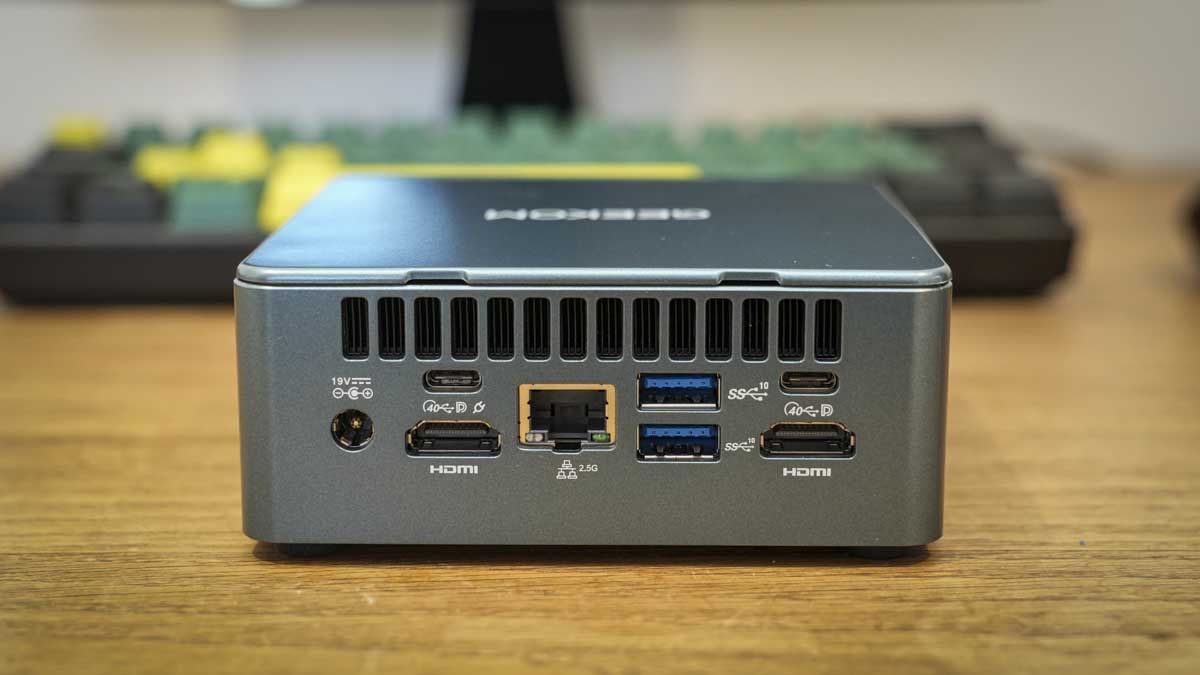
Starting on the exterior, the front has two USB 3.2 Gen 2 Type-A ports alongside a 3.5mm headphone jack and the power button. On the side is an SD card reader slot, and around the back are another USB 3.2 Gen 2 port and a USB 2.0 port (both Type-A), plus two USB4 ports, a 2.5GbE LAN port, two HDMI ports, and the DC input.
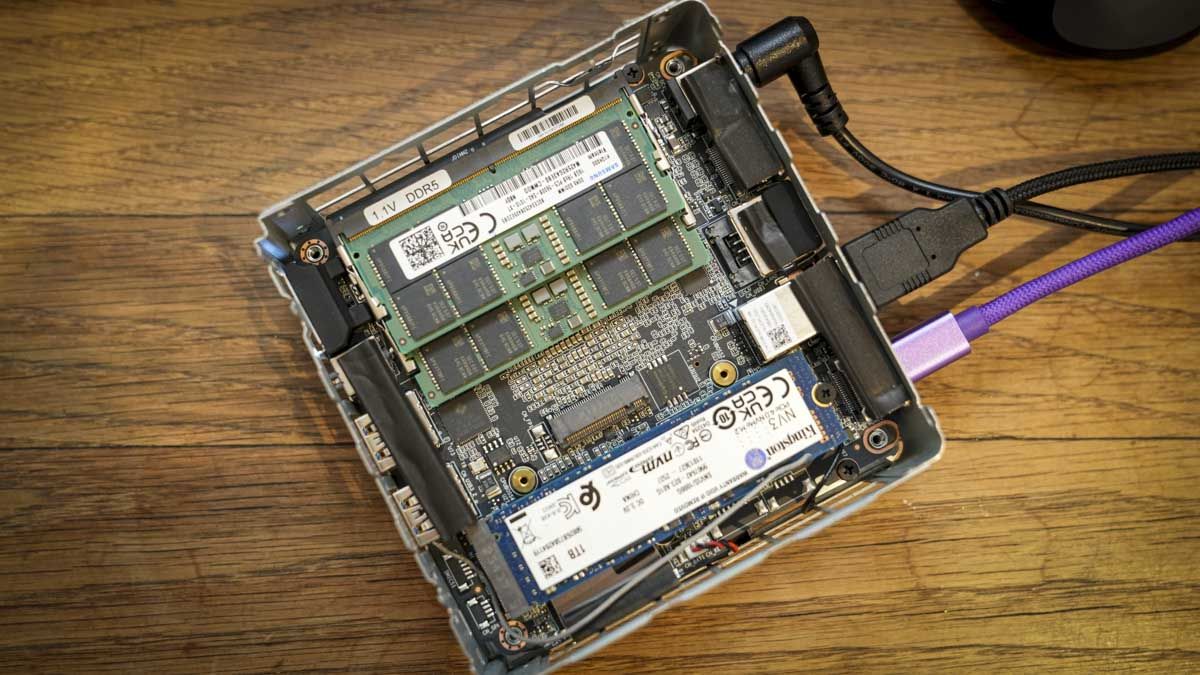
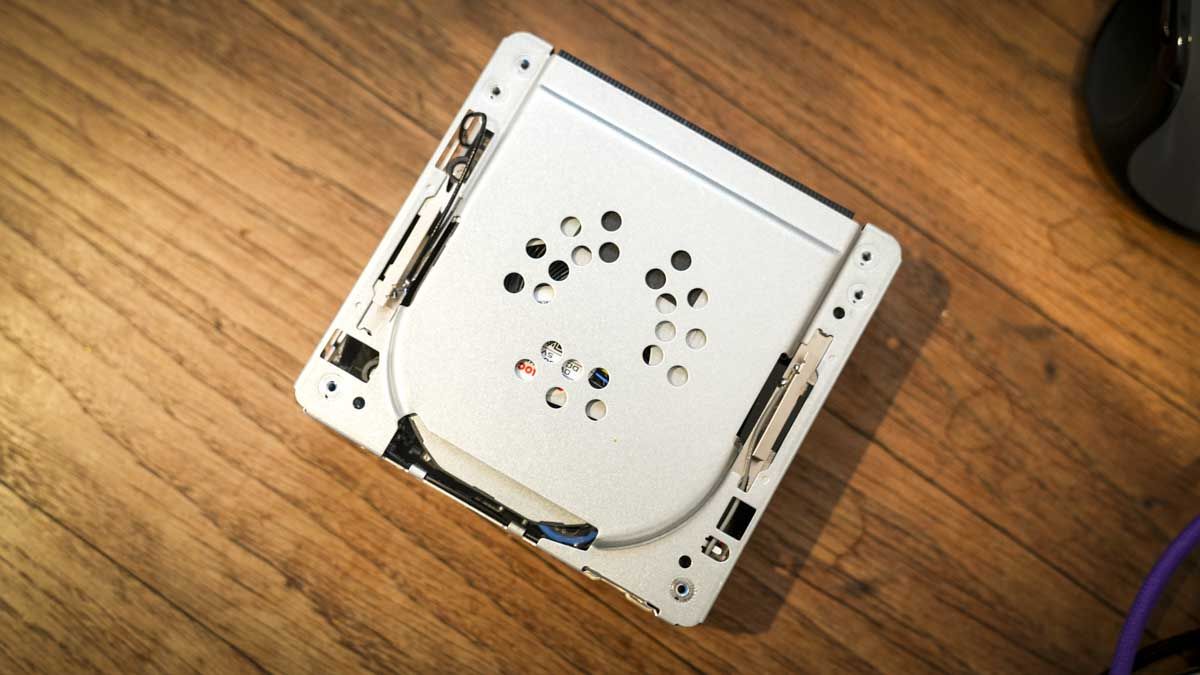
(Image credit: Alastair Jennings)Unlike many of the new mini PCs I’ve looked at recently, this one offers plenty of upgrade potential. Access to the insides is gained by unscrewing the four bolts in the base, then prying the plastic top cover off and removing a further four screws.
As the case is removed, the two antenna wires need to be carefully unhooked from the casing. As these wires are incredibly delicate, you need to take this step slowly to avoid damage.
Inside the machine, it’s packed with 32GB of dual-channel DDR4 RAM, all neatly laid out with the 1TB M.2 2280 PCIe Gen 4 ×4 SSD, which can be upgraded to 2TB. Checking closely, there’s the smaller slot for the M.2 2242 SATA SSD, and this can be up to 1TB. Then, if you need to boost the internal storage further, there’s space for a 2.5-inch SATA HDD.
- Design: 4 / 5
GEEKOM IT13: Features
The power of mini PCs has leapt forward this year, especially with the advent of NPUs and the greater resource demands created by AI features in mainstream apps. The boost in AI use has created resource constraints for many older machines and their CPUs.
Older PCs took a blunt-instrument approach, and as long as they had enough resources, these small mini PCs could achieve a surprising amount; hybrid cores have been around since 2020 in the Lakefield processors, and have been steadily improving performance since.
The Intel Core Ultra 7 356H is based on Intel’s Panther Lake architecture and features 16 cores and 16 threads. These comprise four Performance-cores, eight Efficient-cores and four Low Power Efficient-cores. This hybrid architecture lets the processor distribute workloads based on their performance and requirements.
The processor also includes an Intel NPU, and this is rated at up to 50 TOPS. The NPU is only called on by apps that have been specifically optimised for use, and when used, it frees up resources from the CPU or GPU. The NPU will also support compatible local language models alongside Windows AI features; however, at present cloud-based AI processing is still the most common resource for integrated AI.
Essentially, while the overall specifications of the newer Panther Lake processors on paper may seem less impressive than those of older CPUs, resource allocation is far better.
The integrated GPU is Intel Xe3 Graphics for U7-356H, which offers good all-round performance, though it does draw on RAM alongside the CPU. However, for most creative applications, including those from the Adobe Suite, the power available is more than sufficient for most uses.
While many mini PCs use soldered LPDDR5X RAM, Geekom has opted for standard DDR4, letting you expand the 32GB of RAM that comes with the machine up to 64GB. This is ideal for creative applications and gaming, while 32GB will more than suffice for most office-based work.
Unusually, there are three storage slots, and the machine ships with a 1TB M.2 NVMe Gen 4 SSD. Alongside this, there’s room for a compact M.2 SATA SSD and a 2.5-inch SATA SSD, which are crammed into the small body, boosting the storage from the 1TB that ships with the machine all the way up to a very respectable 5TB, although only one of those will be the ultra-fast M.2 NVMe.
One surprise in the feature list was that it has two HDMI 2.0 ports and two USB4 ports, supporting up to four 4K monitors or one 8K display. This is ideal if you have large amounts of data you need to see on screen, and four 4K monitors are perfect for creative applications, although you’re normally limited to two or three.
Obviously, this is an incredibly small machine, which in the past has created heat distribution issues. However, to manage the heat, the IceBlast 2.0 silent cooling system has been integrated, which uses copper heat pipes to pull heat away from the electronics and push it out through vents dotted around the body.
One of the more surprising features is the reinforced metal internal frame, which Geekom claims can withstand up to 440lb (approximately 200kg) of pressure.
The network connectivity is good for an office environment with a single 2.5GbE Ethernet port and Wi-Fi 6E.
One big point about this machine that I really like is that GEEKOM gives you flexibility. So while you have a very powerful CPU, GPU, and NPU combination that can’t be upgraded, the RAM and storage offer far greater flexibility. With the USB4 ports at the back, you can connect to eGPUs and ultra-fast storage if needed.
As a final point on the feature set, this nice, small machine will already save you plenty of desk space, and it also includes a VESA mount. So if you want to mount it on the back of your monitor, that’s possible; and if you’re mounting it in a vehicle or on a rack or rig, the small size makes it nice and easy.
- Features: 4.5 / 5
GEEKOM IT13: Performance
CrystalDiskMark Read: 6,067.3 MB/s
CrystalDiskMark Write: 5,630.81 MB/s
Geekbench 6 CPU Multi: 15,150
Geekbench 6 CPU Single: 2,780
Geekbench 6 GPU: 23,903
Geekbench 7 CPU Multi: 16,394
Geekbench 7 CPU Single: 2,504
Geekbench 7 GPU: 21,903
PCMark Overall: 8,333
Cinebench R23 CPU Multi: 16,610
Cinebench R23 CPU Single: 2,051
Cinebench 2026 CPU Multi: 4,023
Cinebench 2026 CPU Single: 492
Fire Strike Overall: 6,198
Fire Strike Graphics: 6,670
Fire Strike Physics: 29,342
Fire Strike Combined: 2,285
Time Spy Overall: 3,210
Time Spy Graphics: 2,834
Time Spy CPU: 12,999
Wild Life Overall: 18,634
Steel Nomad Overall: 501
Sky Diver: Not tested
Windows Experience Overall: 8.4
Procyon: 1,303
Alongside standard mini PC uses for productivity, creative work, and browsing the internet, the IT13 features an integrated NPU that can boost local AI workloads with compatible apps, although at present many applications rely heavily on cloud-based AI processing. However, with the NPU present, I was keen to check out the AI performance alongside the more usual tasks.
As ever, I started the benchmarks by testing SSD speed, and it delivered impressive results, with transfer rates up to 6,067MB/s. It’s a reasonably fast PCIe 4.0 SSD, although the fastest drives using this interface can exceed 7,000MB/s. The speed of the SSD was highlighted throughout the test, especially as I started with video and photography applications where data was accessed quickly from the local drive to enable fast renders and exports.