If you have the right type of smart glasses, this is an easy feature to enable.
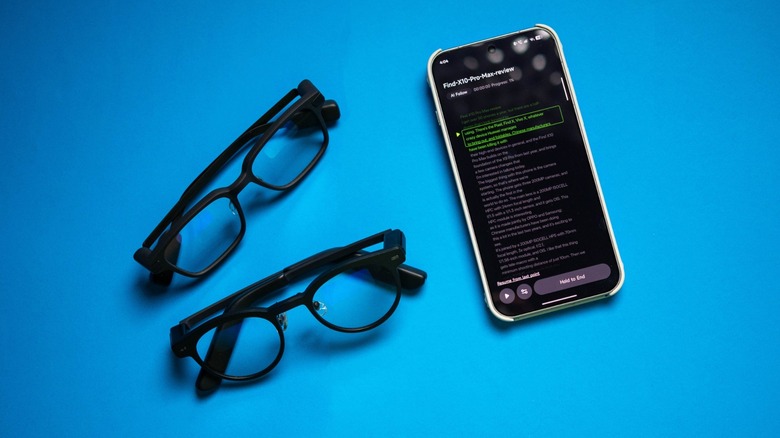
Out of all the myriad variations of smart glasses available today, the ones with built-in waveguides — such as the XGIMI MemoMind One and Even Realities G2 — have the most utility. Having a screen projected in your field of view that shows notifications, turn-by-turn directions or real-time translations is particularly useful outdoors. The best part about using the MemoMind One and Even G2 is that these smart glasses don't have a camera, so there's no social stigma to using them outside.
These glasses also have a built-in teleprompter mode that lets you deliver presentations or speeches while maintaining eye contact, and honestly, they're pretty good at it. As the waveguides project the screen in your field-of-view, it feels natural to use glasses as a teleprompter. I tested the MemoMind One and Even Realities G2 with this mode, and here's what you need to know.
How to use smart glasses as a teleprompter

The MemoMind One and Even G2 have a teleprompter feature that's easy to use; just load the script into the app, and you can select how fast (or slow) to scroll the text. Even's G2 reads PDF, plaintext, and DOCX files, but MemoMind One has just TXT and DOCX, with no PDF integration. This is mildly annoying if you regularly deal with PDF documents, but at least converting documents between file formats is trivial these days.
That said, MemoMind One has greater control over how you can view and control the teleprompter text. You can easily adjust font size, line width (which is a nice bonus), and adjust the display scaling just for the teleprompter. Both smart glasses have a nifty auto-follow feature that slows down or speeds up the text based on your speaking cadence. The feature (ostensibly) relies on AI to listen to your speech and adjusts the flow of the text accordingly. Other than that, you can get an auto-scroll option set to words per minute, and there's manual control as well.
Using the MemoMind One and Even G2 as a teleprompter is easy. I loaded up my Find X10 Pro Max review script and started talking, and the MicroLED-based waveguides did a good job projecting the text without otherwise inhibiting my field-of-view. You get to see the time elapsed (which is useful for me), along with battery level of the glasses and the current time. I don't routinely use a teleprompter, but having smart glasses to do so is far less of a hassle than setting up a dedicated one (at least in my use case).
The waveguide prisms aren't that noticeable externally (unless someone is standing within 15cm of you), so if you're in a public setting, the text won't be visible to anyone in your vicinity. If anything, smart glasses are a good option in a public speaking setting as it gives you greater mobility — your teleprompter moves with you. Also, both the MemoMind One and Even G2 have monochrome waveguides with good brightness levels, and I didn't see any issues making out the text while outdoors. I found the MemoMind One to get brighter than the G2 in outdoor use.
Which glasses should you buy?
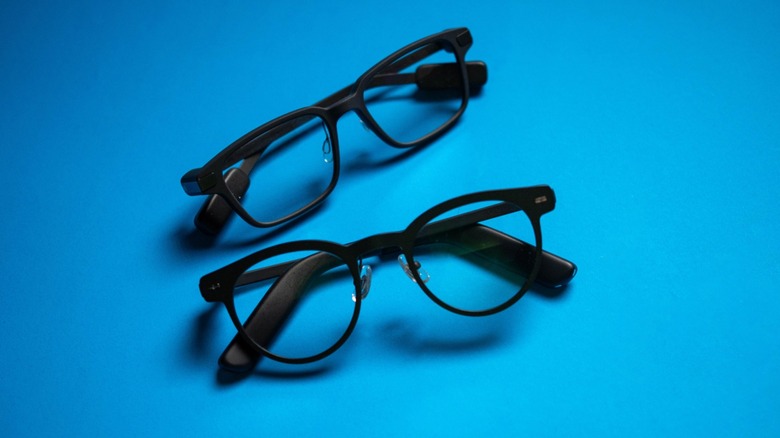
I've been using the Even G2 and MemoMind One interchangeably for most of the last six months. The G2 is a decent update to the G1, and I like that the case has an integrated charger — that's one less cable for me to store. MemoMind doesn't do that, so I need to store the tiny dongle carefully so I don't lose the only way to charge the glasses.
Both glasses are lightweight at under 50g, and while the Even G2 is lighter, I found the MemoMind One to be more comfortable to wear. Battery life is better on the MemoMind One, and the glasses have onboard audio and sound tuned by Harman; they're great to listen to podcasts on the go. The G2 misses out on speakers altogether, so you don't get any built-in sound.
Where the MemoMind One truly wins out is the control mechanism. The Even G2 uses a series of taps and swipe actions to control the glasses, with the gesture surface located at the temple tips, which is just awkward to use. There's also the small fact that it doesn't register gestures correctly at times, so I'm often scrolling or trying to trigger a gesture by reaching behind my ear, and it isn't the best look if you're in public.
Thankfully, the MemoMind One doesn't have these shortcomings; the glasses have a physical button located below the right hinge, and it's easy to interact. A single tap lets you cycle between menus, and a long-press action is used to exit to the dashboard. The UI wasn't quite as polished at launch, but MemoMind rolled out a slare of software updates over the last three months, and the glasses are on par with the Even G2 in this area.
Out of these smart glasses, I'd get the MemoMind One if I had to pick one. The MemoMind One just feels easier to wear, you can select three frame styles (G2 is limited to two), and it costs $499, $100 less than the G2. That's if you're getting the standard model; if you use prescription lenses, you'll need to pay an additional $280 for the MemoMind One and $159 for the Even G2. Of the two, the MemoMind One has the better feature-set as it has built-in audio and brighter waveguides, and I found it easier to wear and use.